PAW Patrol Academy
Play PiknikEducation
3.5382.00 Reviews
- Version
- 4.1
- Installs
- 10.00M
- Age Rating
- Everyone
Screenshots
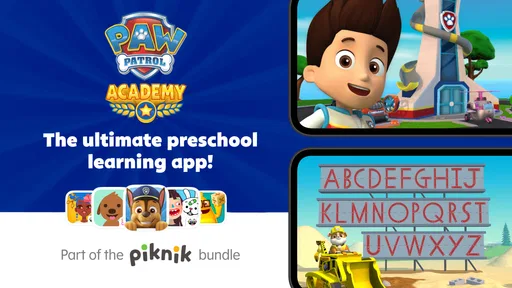
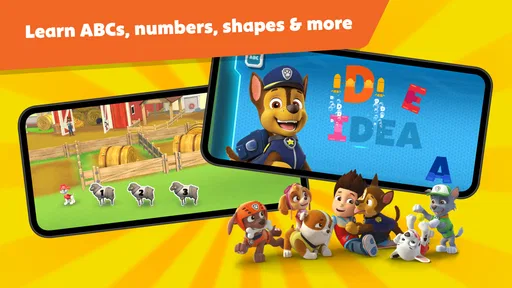
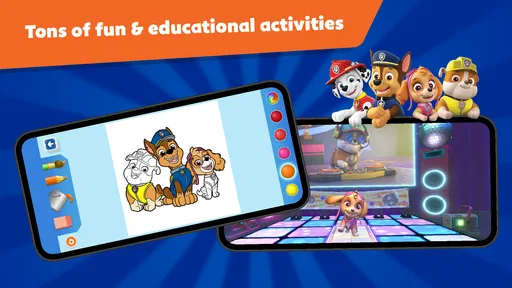
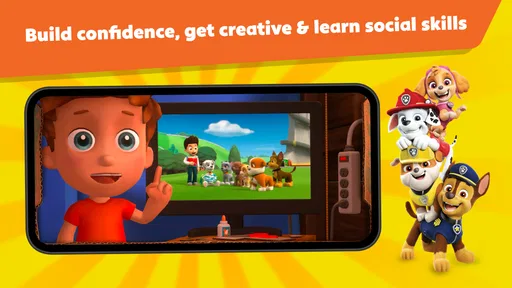
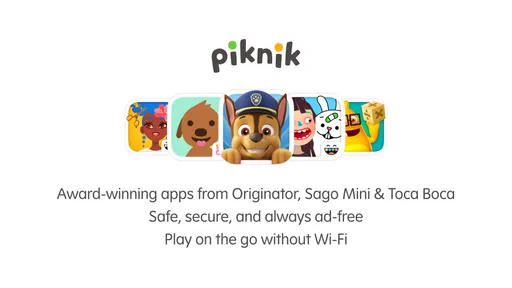
Our Review of PAW Patrol Academy
 Analysis by Appyee
I’d treat PAW Patrol Academy as a short, shared activity for a preschooler rather than a substitute for books, toys, or time spent playing together. Its appeal is easy to understand: familiar pups give young children a reason to try learning activities, while the simple, bright presentation makes the app feel approachable. Whether that combination is worth keeping on a device depends on how your child responds to guided screen activities—and on how much of the experience you want to access without paying.
What the free price does—and doesn’t—tell you
The app is free to download, which makes it easy to try before deciding whether it suits your household. It also offers in-app purchases, with items listed from $4.99 to $79.99 each. That spread is wide enough that I would check the purchase options with an adult before handing over the device, rather than assuming that “free” means every part of the app is included at no cost.
Play Piknik is the developer, and the app is intended for children aged 2–5. It has an Everyone age rating, and its stated release date is September 27, 2023; the current version is 3.7. I’d consider those details when checking whether it suits the child and device in front of me, but they don’t tell me how a particular child will take to the activities.
Where the learning value comes from
The useful point here is the way the PAW Patrol theme can make a child more willing to engage with a task. Sorting, matching, and simple problem-solving are familiar early-learning formats, but a mission wrapper gives them a small purpose: the child is helping the team rather than completing an abstract exercise. For a preschooler who already enjoys the show, that context may be the difference between trying an activity and moving on immediately.
That doesn’t make the app a formal learning plan, and I wouldn’t judge a child’s progress by how far they get in it. Its better role is practice through play. A parent can make the experience more useful by asking the child to explain a choice, describe a picture, or talk through what they think should happen next. The conversation—not just the screen response—can turn a brief activity into a richer moment.
Small routines that make it easier to use well
I’d introduce the app when I can be nearby, especially at first. Let the child choose between an activity and a drawing task, then give them room to try before stepping in. If they get stuck, a hint in ordinary language is more helpful than taking over the controls. This keeps the app from becoming a test with a right answer and makes it easier to notice which tasks hold their attention.
It can also fit a predictable, limited routine: for example, a short turn while dinner is being prepared, followed by coloring on paper or talking about the mission. I wouldn’t use it as the only activity during a long wait, since screen entertainment can crowd out the movement and hands-on play that young children also need. If the child becomes frustrated or starts tapping without engaging, that’s a good cue to stop rather than push through.
How it compares with other preschool choices
Compared with a general early-learning app, this one has a stronger character hook and a more specific fictional setting. That can be a real advantage for a PAW Patrol fan, but it also makes the experience less neutral: a child who isn’t interested in the pups may prefer an app built around broader themes, or no character theme at all. Compared with a physical puzzle or coloring book, it offers guided on-screen interaction, while the physical option is better for screen-free play and can be used without navigating menus.
Parents choosing among children’s apps should also distinguish an ad-free experience from a completely cost-free one. The store summary describes this app as ad free, which is reassuring if you want to avoid advertising during play, but purchases still matter when considering the total cost. If you want a single, clearly bounded free activity, check what is available before letting a child explore independently. If you’re comfortable weighing optional purchases and the child loves the characters, the theme may add enough motivation to justify trying it.
The app has an average rating of 3.5 from around 9,300 ratings, alongside 352 written reviews, and has been installed over 10 million times. I take that as evidence that it has reached a large audience, not as a guarantee that every family will find it a fit. Ratings can’t tell you whether your child will enjoy the pacing or whether the purchase structure matches your expectations; a brief, supervised trial is more informative.
On Android, the minimum operating-system requirement is version 9. If you’re deciding whether to install it on a device a child already uses, check that compatibility first, then review the purchase settings and decide what boundaries you want in place. The content is designed for very young children, but adult oversight still makes sense around spending and screen-time habits.
One practical way to assess whether it’s earning its place is to look beyond minutes spent in the app. Does your child try the matching task without immediately asking for help? Do they talk about what they drew or the choice they made? Those are more useful signs of engagement than simply staying on the screen. If the app repeatedly leads to an enjoyable conversation or a follow-up drawing away from the device, it is serving a purpose beyond passing time.
There’s also a difference between an app a child can navigate and one that needs no adult involvement at all. Large controls and brief instructions may help with independent tapping, but a young child can still need help choosing an activity, handling a difficult task, or stopping when it’s time to move on. I’d set that expectation from the beginning: the interface may be child-friendly, while the routine around it remains a parent’s job.
For families sharing one phone or tablet, it helps to make the app part of a planned turn rather than an open-ended default. A parent can start the activity, stay close enough to notice whether the child is following along, and finish with a question about the mission or artwork. This simple sequence also makes it easier to hand the device back without turning the end of play into a surprise.
PAW Patrol Academy is an education app from Play Piknik built around the familiar pups, and its strongest case is for a young fan who enjoys short, guided activities. It’s free to download, rated for Everyone, and aimed at ages 2–5, though paid in-app items mean families should look carefully at what they are choosing. The app has an average rating of 3.5 and more than 10 million installs, but neither popularity nor a child-friendly theme guarantees a good match.
Welcome to Adventure Bay
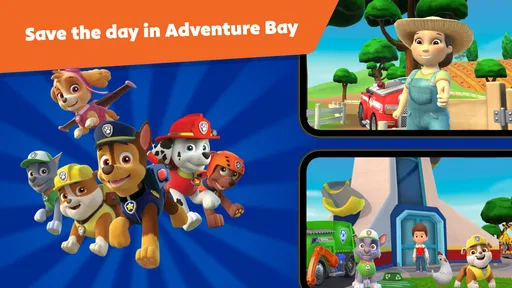
So, what’s the scoop with PAW Patrol Academy? Well, right from the get-go, the app immerses you in the vibrant world of Adventure Bay, home to the beloved PAW Patrol pups. The graphics are bright and colorful, bringing the animated series to life in your hands. It’s like stepping into a cartoon episode, and trust me, your kids will love it.
The app is designed for young children, primarily aimed at preschoolers. It’s packed with interactive activities that are not only entertaining but also educational. The developers have done a sterling job of blending play with learning, ensuring that kids remain engaged without even realizing they’re picking up new skills.
Interactive Learning
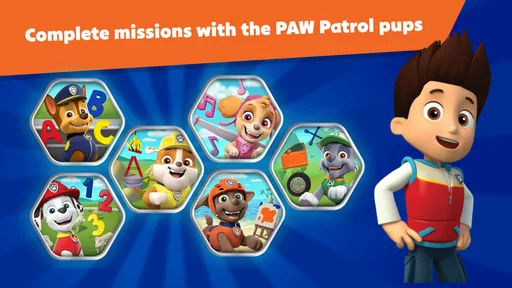
One of the standout features is the variety of activities available. Whether it’s sorting, matching, or simple problem-solving tasks, each game is carefully crafted to enhance cognitive development. The activities are themed around the PAW Patrol missions, so children get to feel like they’re part of the team, helping Ryder and the pups save the day.
The app also does a fantastic job of promoting creativity. There are sections where kids can draw, color, and even create their own pup badges. It’s a great way to let their imaginations run wild while still staying within the educational framework of the app.
Easy Navigation for Little Fingers
Navigating the app is a breeze, which is crucial for its target age group. The interface is intuitive, with large buttons and clear instructions. Even if your child isn’t a tech whiz, they’ll have no trouble finding their way around.
Each game and activity starts with a brief tutorial, ensuring that kids know exactly what they need to do. It’s user-friendly and designed with kids in mind, reducing any frustration that might arise from complex controls.
Engaging Storylines
What makes PAW Patrol Academy even more engaging are the storylines that accompany each mission. The app includes voiceovers from the actual characters, which adds an authentic touch. Kids who are fans of the TV show will particularly appreciate this feature.
The missions are varied, from rescuing animals to fixing broken vehicles, and each comes with its own unique challenges. It’s a great way to teach problem-solving and critical thinking skills in a fun and immersive way.
Parental Controls and Safety
Now, onto something that’s crucial for any parent considering downloading an app for their child: safety. The developers have included parental controls, ensuring that kids stay within the app and don’t accidentally purchase anything or access unwanted content.
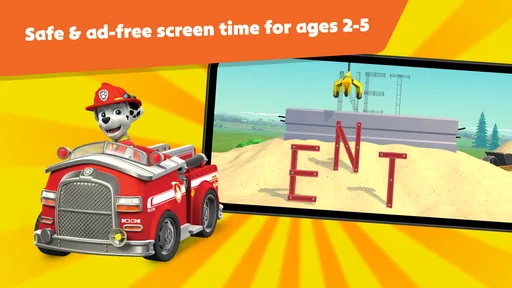
There’s also no advertising within the app, which is a huge relief. You can let your child play without worrying about inappropriate ads popping up. It’s clear that the developers have put a lot of thought into making this app as child-friendly as possible.
The Verdict
All in all, PAW Patrol Academy is a fantastic app that combines entertainment and education seamlessly. It’s perfectly suited for young kids, offering a safe and engaging space to learn and play. Whether your child is a fan of the PAW Patrol series or new to the franchise, they’re sure to have a tail-wagging good time with this app.
If you’re looking for an app that’s both fun and educational for your little ones, give PAW Patrol Academy a try. It’s a wonderful tool to aid in their development while keeping them entertained. Plus, it’s a great way for them to spend screen time constructively. So why wait? Dive into Adventure Bay today!
My buy-or-skip call
I’d give it a try if a child in your care already responds warmly to PAW Patrol and you want an activity that can sit alongside, rather than replace, shared reading, drawing, and play. The no-advertising approach is a meaningful plus for a child-facing app, and the mix of sorting, matching, problem-solving, and creative tasks gives parents several ways to see what captures a child’s interest.
I’d skip it if your priority is a fully free experience with no purchase decisions, if the child has little interest in the franchise, or if you’re looking for a broad curriculum rather than character-led play. In those situations, a physical activity or a less theme-specific learning option may be a better fit. My recommendation is therefore a cautious one: try the free download together, check the in-app purchase choices before independent use, and keep it only if the child is actively engaging rather than simply watching or tapping through.
Verdict
Strengths of PAW Patrol Academy
- Engaging educational content for kids.
- Colorful graphics capture children's attention.
- Easy-to-navigate user interface.
- Regular updates with new activities.
- Offline mode available for uninterrupted play.
Limitations of PAW Patrol Academy
- Limited appeal for older children.
- In-app purchases can add up.
- Requires internet for initial download.
- Some activities may be repetitive.
- Limited customization options for characters.
Other Releases by Play Piknik
View All
Toca Boca Jr: Fun Kids Games
Educational3.3

Toca Boca Hair Salon 4
Educational3.8

Gabbys Dollhouse: Cat Games
Educational3.8

Sago Mini World: Kids Games
Educational3.6
Similar Picks in This Category
View All
Duolingo: Language Lessons
Duolingo4.7

Google Classroom
Google LLC2.8

Unacademy: Learn & Crack Exams
Unacademy3.2

Bible App for Kids
Life.Church4.4

Cake - Learn English & Korean
Cake Corp.4.7

Brainly: AI Homework Helper
Brainly4.5
Frequently Asked Questions
What is PAW Patrol Academy?
PAW Patrol Academy is an interactive educational app designed for children, inspired by the popular PAW Patrol TV series. It offers a variety of learning games and activities that focus on developing cognitive skills, problem-solving abilities, and creativity in a fun and engaging way. The app is suitable for young children and features their favorite PAW Patrol characters.
Is PAW Patrol Academy safe for kids?
Yes, PAW Patrol Academy is designed with children's safety in mind. The app ensures a child-friendly environment by incorporating parental controls, no third-party advertisements, and a privacy policy that protects user data. Parents can rest assured that their children are engaging with content that is both educational and secure.
What age group is PAW Patrol Academy suitable for?
PAW Patrol Academy is ideally suited for children aged 3 to 6 years. The app's activities are designed to be age-appropriate, fostering early learning and development through interactive play. It helps children build foundational skills in a way that aligns with their developmental stage and interests.
Do I need an internet connection to use PAW Patrol Academy?
While an internet connection is required for initial download and updates, PAW Patrol Academy can be accessed offline once installed. This feature allows children to enjoy the app's activities without needing constant internet access, making it convenient for use on-the-go or in areas with limited connectivity.
Are there in-app purchases in PAW Patrol Academy?
PAW Patrol Academy may offer optional in-app purchases to unlock additional content or features. However, these purchases require parental consent, which prevents children from accessing them without supervision. Parents can manage these settings to ensure a controlled and safe experience for their children.
